I built a simple web browser that is most definitely not a daily driver.
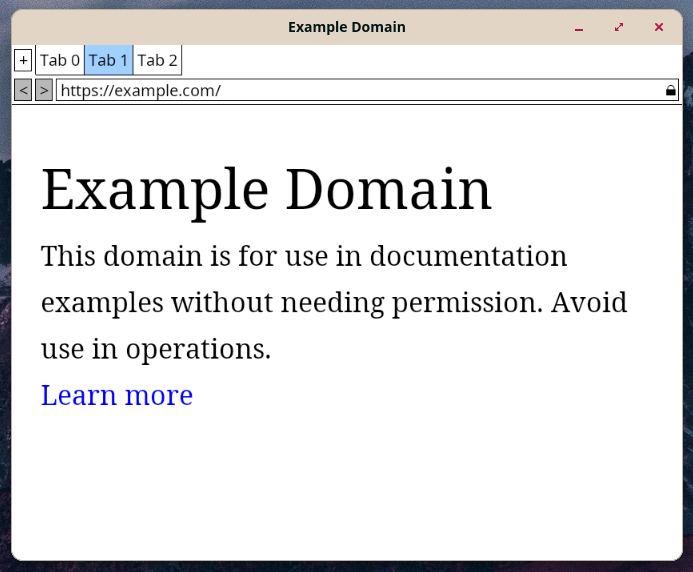
Here it is is all it’s hideous glory. I made this following the book Web Browser Engineering book, my code is here: github.com/calvincramer/wbe-browser
Why did I spend months making this?
Two big reasons:
For one, I believe in the open web as a platform. I choose the web both as a user and as a developer instead of other controlled application distribution platforms such as the Google Play Store or Apple’s App Store. I see the web as the most open and most universal application platform.
Secondly, I chose web browser development as the next phase of my career. I am counting on the complexity and difficulty of web browser dev, both for my personal satisfaction and job security, and also because of my genuine belief in the web.
Some of the features
- multiple tabs (wow!)
- scrolling and zoom
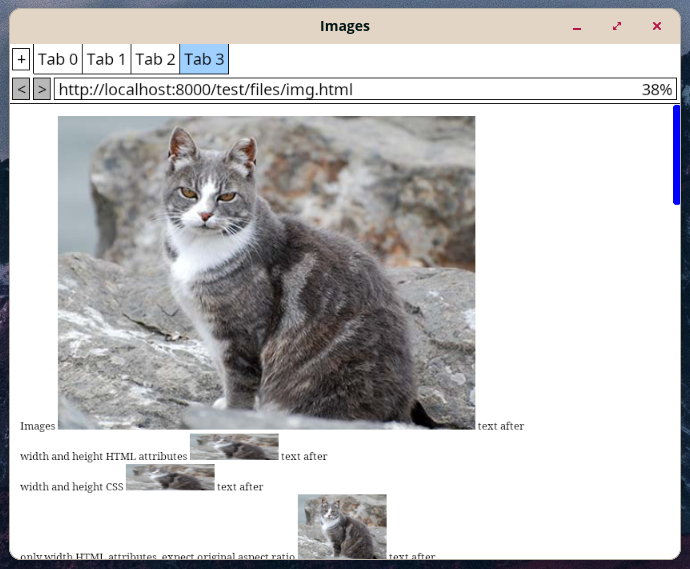
- images (cats!)
- dark and light mode
- iframes
- HTTP caching
- layout tree that is cached and invalidated as needed
- custom HTML and CSS parser - an anti-feature for any practical use, but very educational to write!
My thoughts on the book
The Web Browser Engineering textbook was a great introduction to web browser dev. I appreciate that it is written in Python, which allows easily doing hacky dynamic programming lanuage things like checking if something exists on an object before accessing or calling it.
I’m really glad that Pavel and Chris made the book available freely online here. It came in handy since I’ve been travelling for the summer. Also it would be pretty odd if a web browser dev book was not accessible online!
Sometimes the book was easy to follow. Other times I would be stuck for days needing to refactor which would cover a few measly paraghraphs in the book. For example, separating out the code for tab into tab and frame to support nested frames for <iframe>s was a memorable experience.
In the end I think I struggled with drifting from the implementation the book was based on. The way to go through this book with the least amount of pain points is to not do any of the exercises and also to never give in to your urges to fix or reformat or change anything. Fight your perfectionism! Also, it is probably best to go through a whole section and copy the code rather than to make sure it all works as you go along.
Overall, the authors did a remarkable job of making a book thats not super difficult to follow along and end up with a toy browser in the end. This is very impressive because of just how much code it is, which for me ended up just over 7k lines of code.
What’s next?
I’ll continue hacking away at my little browser in order to learn more about web browser dev. I’m also going to try out some developement on a real browser like Firefox, Chromium, or Ladybird.
One thing I am very interested to do next is to port this to a compiled language. After around the 50th time after any substantive change needing to open up all the different test web pages and individually testing them and then getting errors like AttributeError: 'Foo' object has no attribute 'bar' it is a miracle (for my family) that I have any hair left. Love and hate relationship with you, Python.
AI usage
I used AI sparingly (Gemini, Claude) mostly to debug issues. A couple CSS parsing functions are mostly AI.
There are times where I was very impressed with it’s ability to fix issues, and others where it falls squarly on it face. Guess I’m just holding it wrong.